MaGe ToDo App (+MCP)
Offline kanban & task app for Windows & Mac with a built-in AI/MCP server. Plan your day across multiple projects as kanban boards: tasks, due dates, grouping and drag & drop. All data stays on your computer — no account, no cloud, no internet connection required.
Features
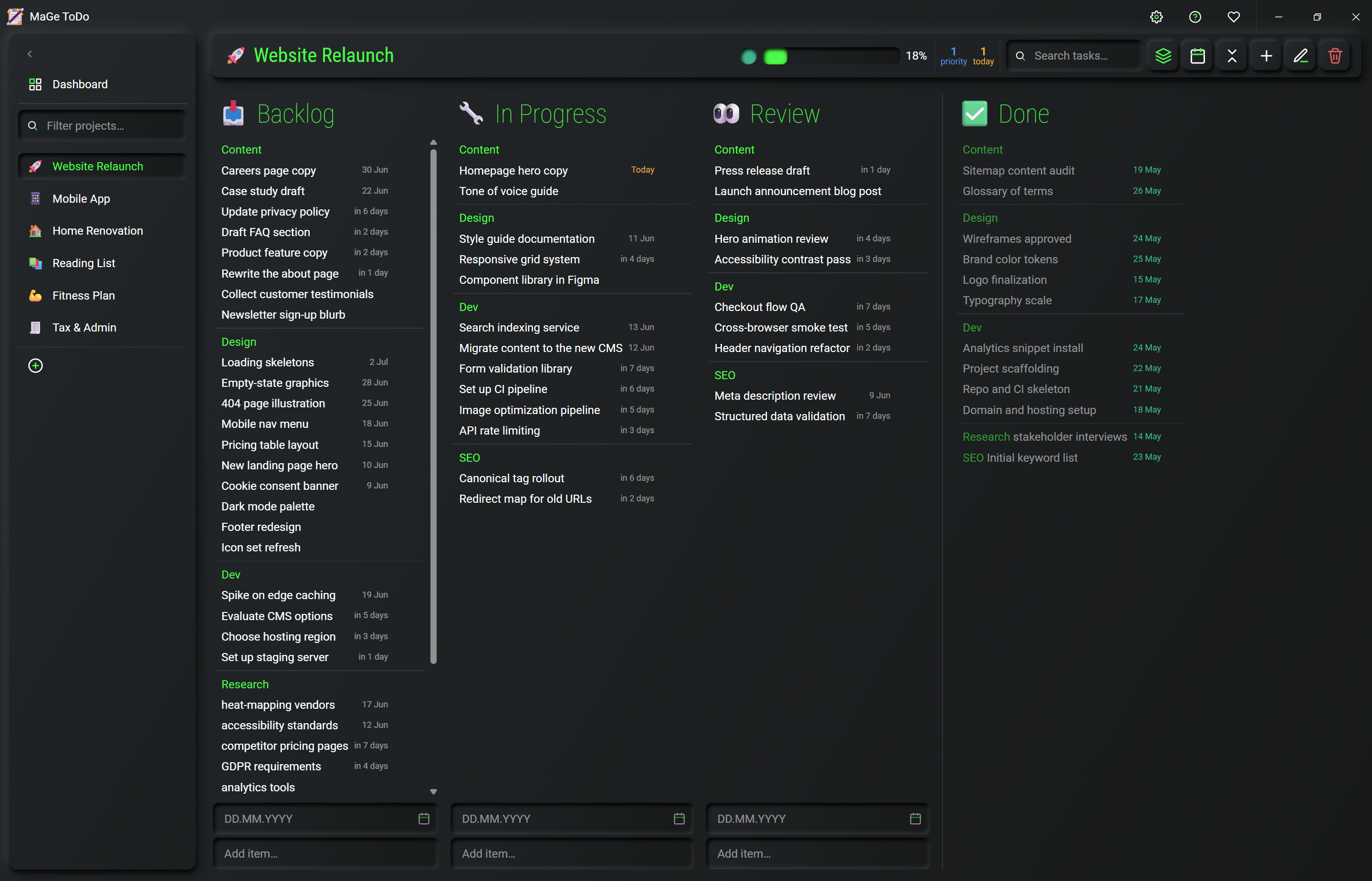
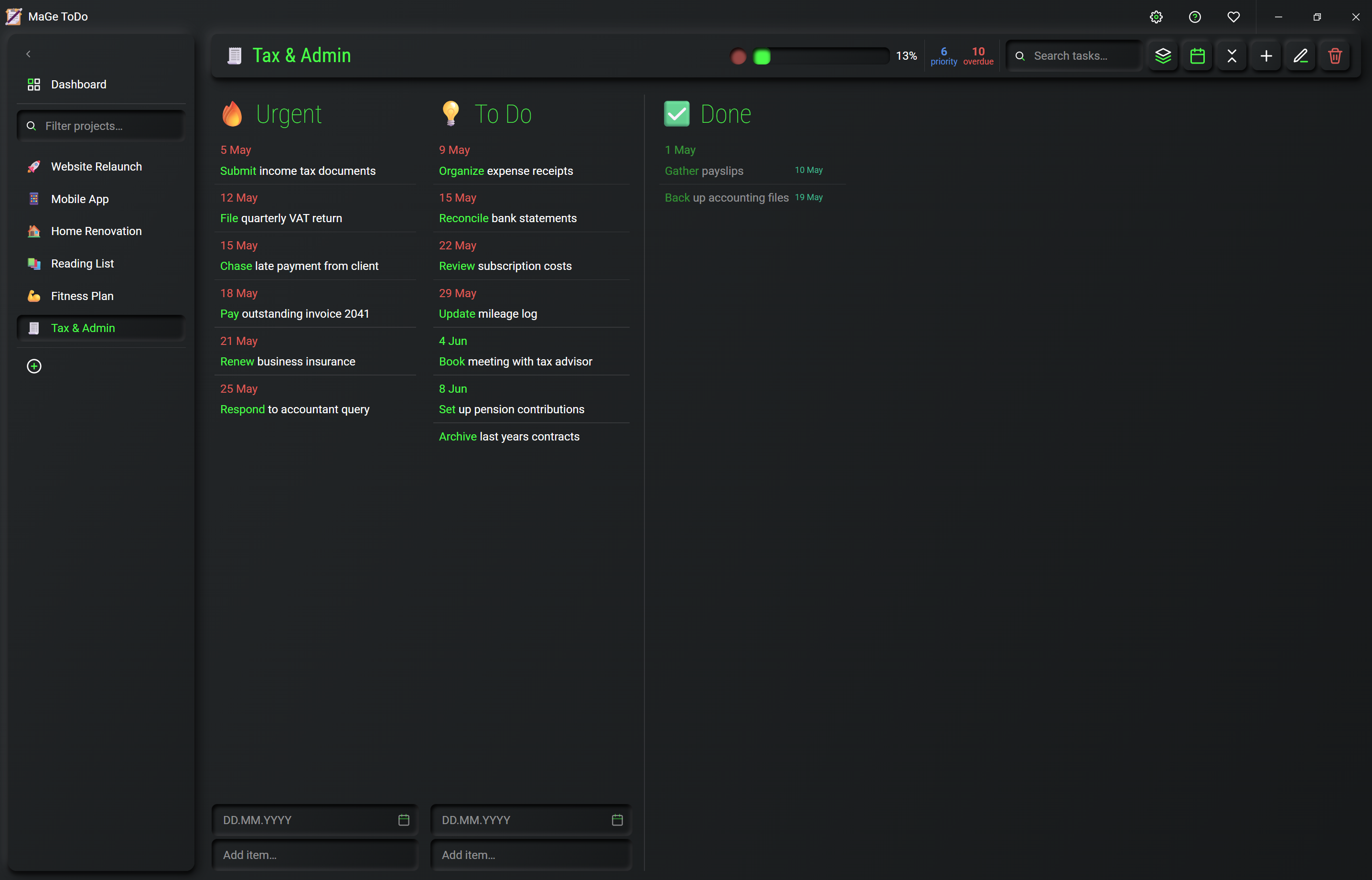
- ⭐ Multi-project kanbanAs many projects as you like, each as a kanban board with lists; the last list is always the Done list.
- ⭐ Due dates & smart labelsOptional due dates with relative labels (today, in N days, overdue) and colour coding.
- ⭐ Group & filterGroup tasks by prefix or due date and search across projects.
- ⭐ Drag & dropSort tasks and projects by drag & drop — project position = priority.
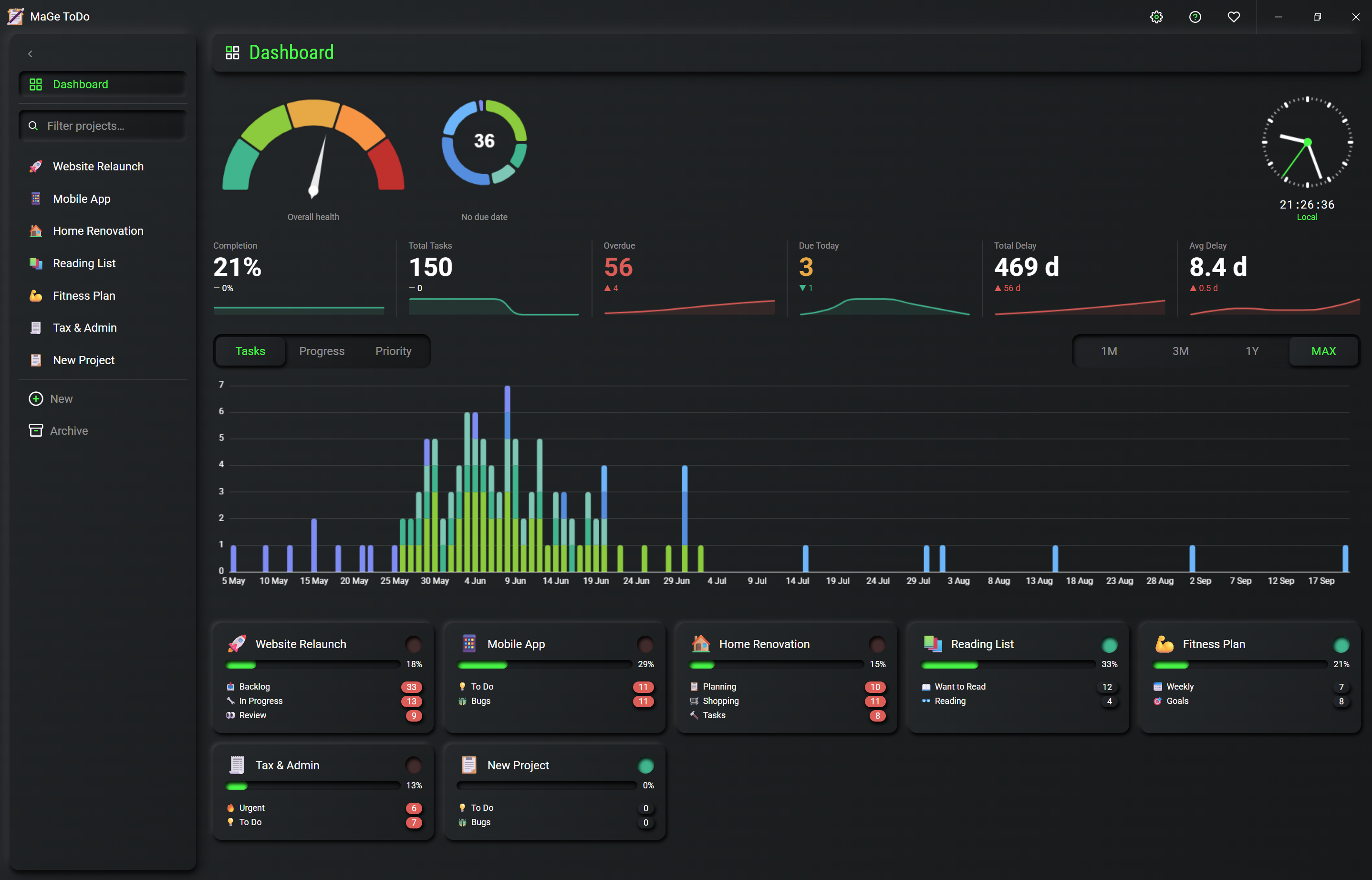
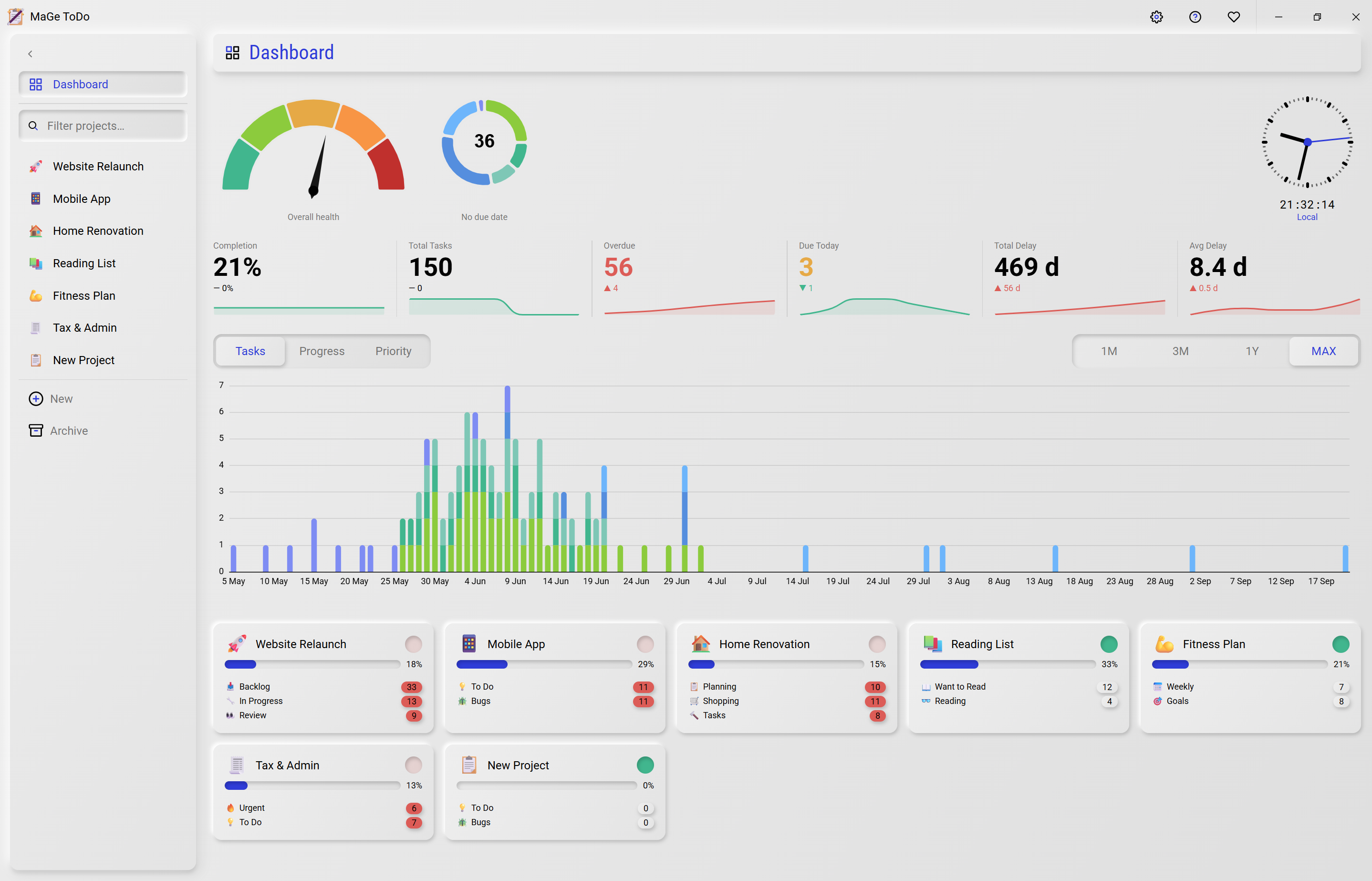
- ⭐ DashboardCross-project overview with key figures for open, due and overdue tasks plus charts.
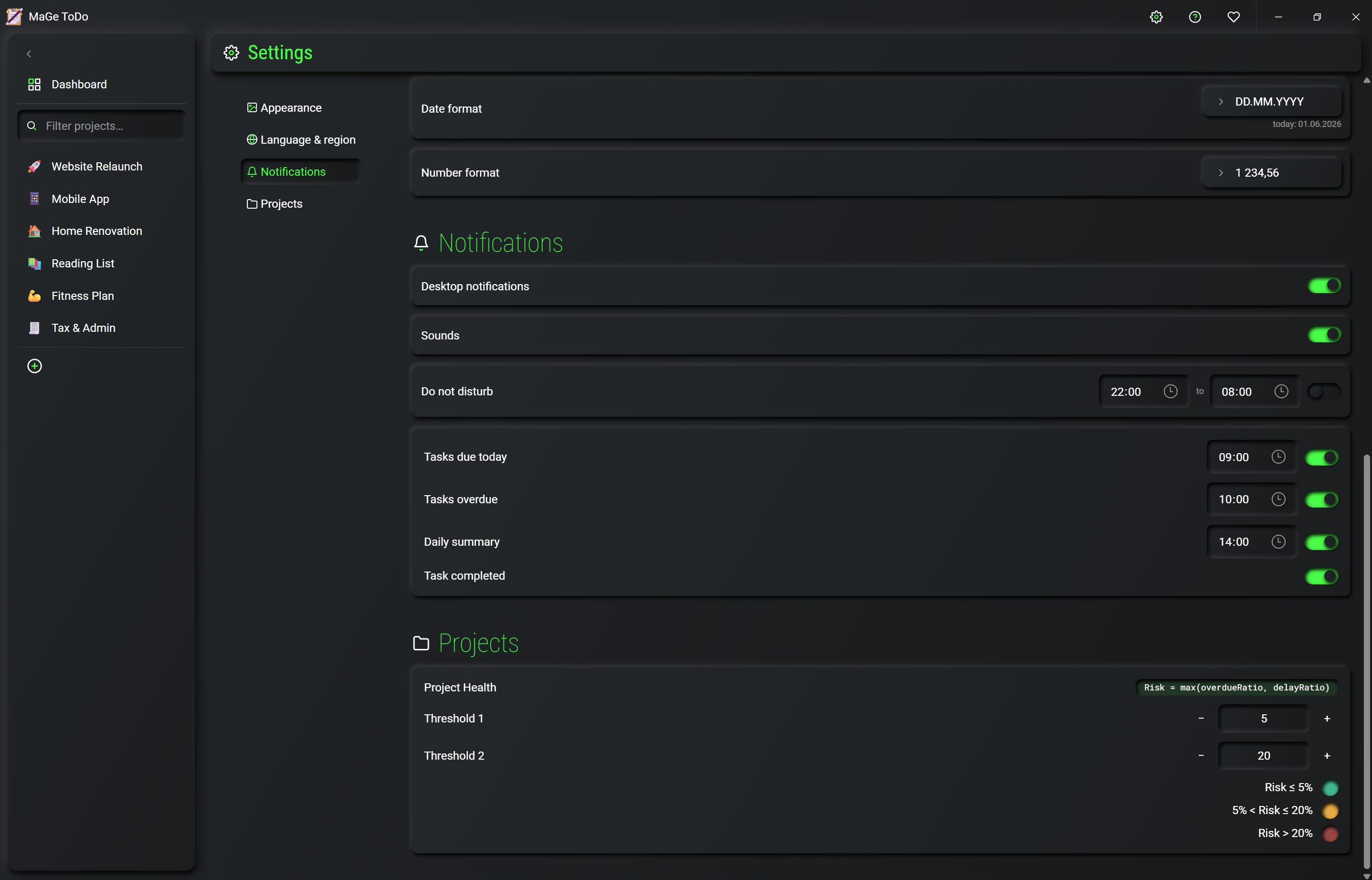
- ⭐ Project healthStatus indicator per project with individually configurable thresholds.
- ⭐ Dashboard clocksAdditional clocks on the dashboard, e.g. for further time zones.
- ⭐ NotificationsDesktop notifications with sound and quiet hours (do not disturb).
- ⭐ German & EnglishSetup wizard and interface are bilingual.
- ⭐ 100 % localAll data lives as a file on your computer — no account, no cloud, no internet connection required.
- ⭐ Built-in MCP serverA full MCP server makes the app controllable by AI/agents.
- ⭐ Project archiveArchive completed projects and restore them when needed — the active view stays tidy.
- ⭐ Backups & restoreManual and automatic backups of your data; restorable at any time.
- ⭐ Recurring routine tasksCreate regular tasks once — they reappear automatically.
Installed in 3 steps
- 1DownloadDownload the setup file for Windows or macOS.
- 2Run the installerDouble-click the downloaded file and follow the setup wizard.
- 3Get startedChoose your language, finish the installation — done. No account and no internet connection required.
System requirements
Windows 10 or 11 (64-bit) · 15 MB storage · No internet connection required
Changelog
- v1.1.0 2026-06-02
- NewProject archive
- NewCreate and restore backups, automatic backups
- NewRecurring routine tasks
- NewPredefined accent colour swatches
- NewList text-wrapping toggle
- NewHover and keyboard-focus feedback
- MCP server functions extended
- Quality-of-life optimizations
- Bugfixing
- v1.0.0 2026-05-31
- Initial release
Frequently asked questions
General
What is MaGe ToDo?
A lean, local kanban & task app for Windows and Mac. You plan as many projects as you like as kanban boards — completely offline, without an account and without the cloud. With a built-in MCP server it can also be controlled by AI/agents.
What does the app cost?
Nothing — it's free. I'm always happy about feedback or a small token of support.
Who is the app for?
For anyone who wants to organise their tasks and projects locally, without cloud lock-in — and optionally work AI-assisted.
Installation & platform
Which systems are supported?
Windows 10 or 11 (64-bit). A macOS version is in preparation.
How do I install the app?
Download the setup file, double-click, follow the wizard, choose your language — done. No account, no internet connection required.
How much storage does the app need?
Around 15 MB.
Do I need an internet connection?
No, the app works fully offline. Internet is only needed if you connect the MCP server to an external AI service.
Data & privacy
Where is my data stored?
Exclusively locally as a file on your computer. No account, no cloud, no transfer to third parties.
How do I back up my data?
Via backups — manual or automatic, with restore at any time.
Tasks & projects
How many projects can I create?
As many as you like — each as its own kanban board with lists. The last list is always the “Done” list.
How do due dates work?
Optional due dates with relative labels (today, in N days, overdue) and colour coding.
Can I group and filter tasks?
Yes — group by prefix or due date and search across projects.
How do I prioritise?
By drag & drop: the position of a project or task equals its priority.
Are there recurring tasks?
Yes — create routine tasks once and they reappear automatically.
Can I archive completed projects?
Yes — archive and restore them when needed; the active view stays tidy.
Dashboard & notifications
What does the dashboard show?
A cross-project overview with key figures (open, due, overdue tasks) and charts.
What is “project health”?
A status indicator per project with individually configurable thresholds.
What are the dashboard clocks?
Additional clocks on the dashboard, e.g. for further time zones.
Do I get notifications?
Yes — desktop notifications with sound and quiet hours (“do not disturb”).
AI / MCP server
What is the built-in MCP server?
A full MCP server makes the app controllable by AI or agents — so you can have tasks and projects managed automatically too.
Do I need AI to use the app?
No — the app works completely without it. The MCP server is an optional extra.
Other & support
Can I customise the appearance?
Yes — predefined accent colour swatches and a toggle for text wrapping in lists.
In which languages is the app available?
German and English (setup wizard and interface).
How can I give feedback?
Via the feedback button on the homepage (opens a pre-filled email) or via GitHub.
How can I support you or the app's development?
The most helpful things are honest feedback and a recommendation. If you'd like to support beyond that, you can buy me a coffee via the Ko-fi button (heart icon) at the top, or give the project a star on GitHub — that helps visibility.